Finding a reliable service in the saturated streaming market of 2026 requires more than a five-minute glance at a channel list. To truly gauge the quality of a provider, the IPTV 24h Test has become the industry standard—the “Golden Window” of evaluation. A 24-hour period is essential because it allows you to monitor server performance across different network conditions, fluctuating traffic loads, and varying bitrates that a short trial simply cannot reveal.
Technical Setup: Configuring Your Test Environment
To get the most accurate data from your 24h IPTV trial, you need to test on platforms that offer detailed playback information.

1. VLC Media Player IPTV Testing (Desktop)
VLC is the gold standard for technical analysis.
- Setup: Open your M3U URL provided by the test.
- Monitoring: Navigate to
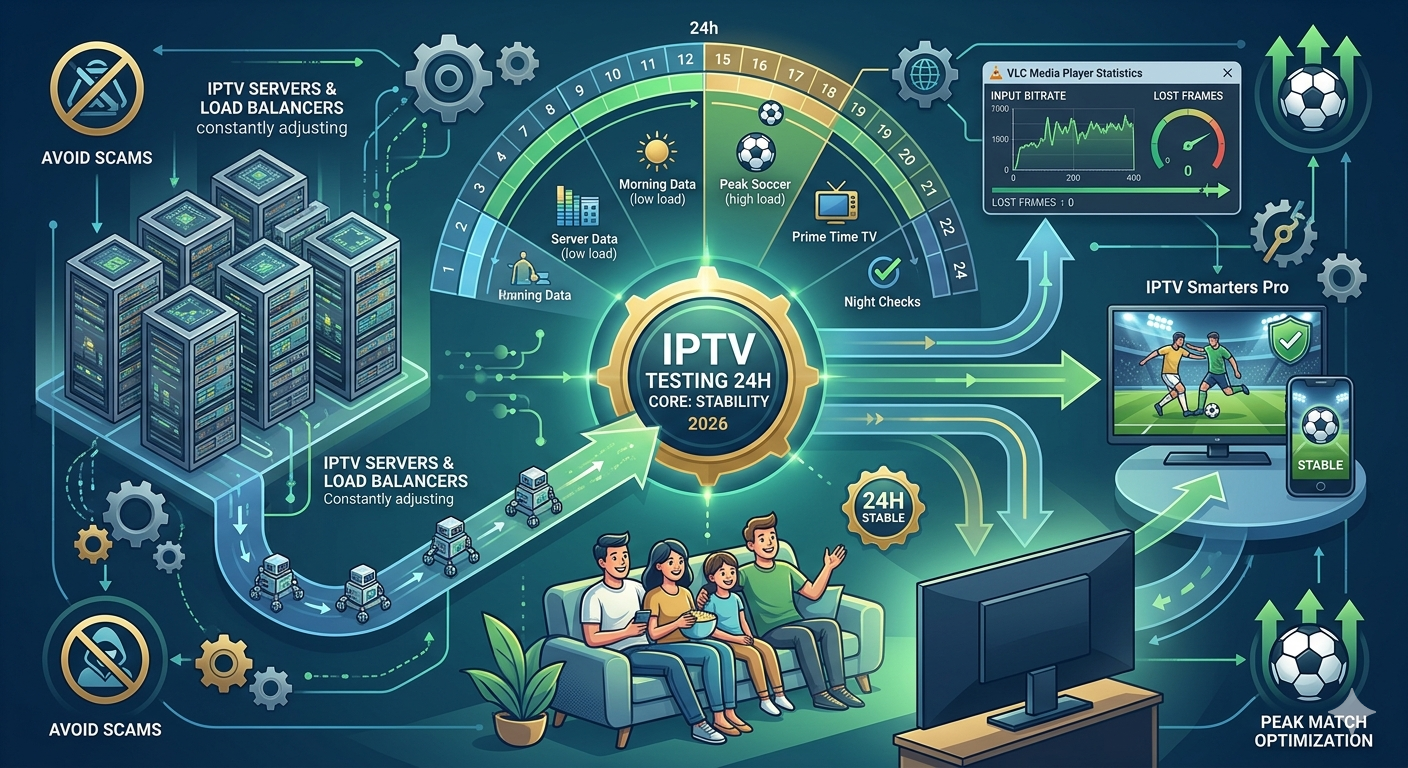
Tools > Media Information > Statistics. - What to look for: Monitor the “Input bitrate” and “Lost frames.” If lost frames increase while your local internet is stable, the server is struggling to output the data.
2. IPTV Smarters Pro / Lite (Mobile & TV Boxes)
Most users will stream via Smarters.
- Setup: Use the Test IPTV 24h credentials via the “Login with Xtream Codes API” for faster loading than M3U.
- Optimization: Go to
Settings > Stream Formatand ensure it is set to MPEGTS (.ts) for better compatibility during the 24-hour window.
The Stress Test: Evaluating Peak Hour Performance
A server that works perfectly at 10:00 AM might fail at 8:00 PM. The core objective of an IPTV 24h Test is to witness how the infrastructure handles “Peak Hours”—specifically during high-traffic events like live football matches or major global broadcasts.
- Buffer Analysis: in IPTV Testing and During a live match, watch for “looping” or “stuttering.” High-quality providers use load balancers to distribute traffic; if you experience constant buffering during a popular event, the provider likely lacks the bandwidth to support its user base.
- ISP Throttling Check: Use a VPN halfway through your test. If the stability improves, your ISP is throttling IPTV traffic. If it remains poor, the issue lies solely with the server’s Server Stability.
For comprehensive benchmarks and a database of verified providers, visitIPTVTesting.com, our central hub for real-time streaming data and performance metrics.
Strategic Internal Resources
If you are new to the world of digital streaming, you might want to start with a shorter evaluation before committing to a full technical deep dive. Check out our IPTV Free Test guide for beginners to understand the basics of server connectivity.
Conclusion: Avoiding the “Scam” Server Trap
In 2026, many low-tier providers offer “instant” trials that only last an hour—just enough time to show you a working 4K channel before the server’s limitations become apparent.
The IPTV 24h Test is your only definitive shield against “scam” servers. By observing the service through a full day-and-night cycle, you ensure that the Server Stability advertised is the stability delivered. Never settle for a provider that refuses a 24-hour window; in the world of IPTV, data-driven patience is the key to a premium viewing experience.
How to Conduct a Professional IPTV 24h Test in 2026 for Maximum Stability
Finding a reliable service in the saturated streaming market of 2026 requires more than a five-minute glance at a channel list. To truly gauge the quality of a provider, the IPTV 24h Test has become the industry standard—the “Golden Window” of evaluation. A 24-hour period is essential because it allows you to monitor server performance across different network conditions, fluctuating traffic loads, and varying bitrates that a short trial simply cannot reveal.
Technical Setup: Configuring Your Test Environment
To get the most accurate data from your 24h IPTV trial, you need to test on platforms that offer detailed playback information.
1. VLC Media Player (Desktop)
VLC is the gold standard for technical analysis.
-
Setup: Open your M3U URL provided by the test.
-
Monitoring: Navigate to
Tools > Media Information > Statistics. -
What to look for: Monitor the “Input bitrate” and “Lost frames.” If lost frames increase while your local internet is stable, the server is struggling to output the data.
2. IPTV Smarters Pro / Lite (Mobile & TV Boxes)
Most users will stream via Smarters.
-
Setup: Use the Test IPTV 24h credentials via the “Login with Xtream Codes API” for faster loading than M3U.
-
Optimization: Go to
Settings > Stream Formatand ensure it is set to MPEGTS (.ts) for better compatibility during the 24-hour window IPTV Free Test.
The Stress Test: Evaluating Peak Hour Performance
A server that works perfectly at 10:00 AM might fail at 8:00 PM. The core objective of an IPTV 24h Test is to witness how the infrastructure handles “Peak Hours”—specifically during high-traffic events like live football matches or major global broadcasts.
-
Buffer Analysis: During a live match, watch for “looping” or “stuttering.” High-quality providers use load balancers to distribute traffic; if you experience constant buffering during a popular event, the provider likely lacks the bandwidth to support its user base.
-
ISP Throttling Check: Use a VPN halfway through your test. If the stability improves, your ISP is throttling IPTV traffic. If it remains poor, the issue lies solely with the server’s Server Stability.
For comprehensive benchmarks and a database of verified providers, visit IPTVTesting.com, our central hub for real-time streaming data and performance metrics.

Data Recording: What to Document During the 24 Hours
A professional test is meaningless without proper data logging. You are not just watching IPTV Testing; you are auditing a network. Create a simple log to record observations at key intervals.
Essential Metrics to Log:
-
Time of Observation: Note the exact time (e.g., 8:00 PM GMT).
-
Channel Category: Are you testing a 4K Movie channel, Live Sports, or local News?
-
Bitrate Stability: Is the VLC input bitrate fluctuating wildly or staying consistent?
-
Buffering Events: Document the duration and frequency of any freezing.
-
ISP Speed: Run a speed test during buffering to rule out local network issues.
The “4K Torture Test”
During the IPTV 24h Test, locate the provider’s highest quality streams, often labeled “4K RAW” or “UHD.” Unlike compressed 1080p streams, these require massive, sustained bandwidth. A stable provider must maintain this stream without packet loss for at least 30 minutes. If the provider cannot handle its own premium content during the trial, it will certainly fail during a major PPV event.
Post-Test Diagnosis: Reading the Results
Once the 24 hours have elapsed, review your logs. You are looking for patterns rather than isolated incidents. A few seconds of buffering over 24 hours is acceptable; constant buffering every evening is not.
| Symptom | Diagnosis | Action |
| Smooth daytime, evening buffering | ISP Throttling or Server Congestion | Test with VPN during peak hours. |
| Specific channels always buffer | Poor Source Quality at Headend | Report to provider; avoid if vital channels are affected. |
| All channels buffer constantly | Incompatible local setup or Scam Server | Switch app, use Ethernet, or reject provider. |
If the diagnosis points to Server Stability issues despite a clean local network and VPN usage, that provider has failed the audit.
Strategic Internal Resources
If you are new to the world of digital streaming, you might want to start with a shorter evaluation before committing to a full technical deep dive. Check out our IPTV Free Test guide for beginners to understand the basics of server connectivity.
Conclusion: Avoiding the “Scam” Server Trap
In 2026, many low-tier providers offer “instant” trials that only last an hour—just enough time to show you a working 4K channel before the server’s limitations become apparent.
The IPTV 24h Test is your only definitive shield against “scam” servers. By observing the service through a full day-and-night cycle, you ensure that the Server Stability advertised is the stability delivered. Never settle for a provider that refuses a 24-hour window; in the world of IPTV, data-driven patience is the key to a premium viewing experience.